
After watching our recent in-car tour of the Ford Edge Sport, I noticed the same problem Matt and our commenters did: the in-dash interface is a pain. Slow and unfamiliar, just like most other car dash touchscreens. Don’t you wish you could just have something you already knew, or maybe use whatever’s on your phone or iPod already? Well, that’s actually starting to happen, and this demo from QNX of Blackberry OS 6 running on the car touchscreen actually looks pretty solid.
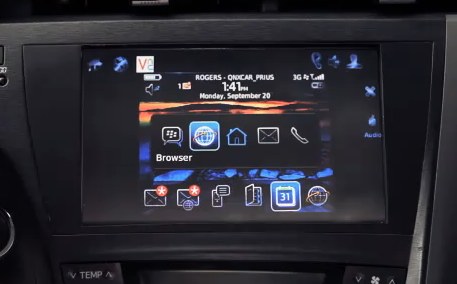
I’m not sure whether Blackberry would be my first choice for a car OS, but to be fair, it’s been designed around both touch and non-touch input, so navigation via steering wheel buttons wouldn’t feel as weird as navigating, say, Android. The “terminal mode” seems to switch on quickly, and although there are probably some resolution disparities that need to get reconciled, it’s probably best to just let the user use the interface they’re most familiar with.
A lot of phones now have a “car mode” anyway, which emphasizes voice control and provides no access to stuff like texting. Being able to just clone that onto my car display would be fantastic — really, I don’t ask more much more than that.
[via Crackberry]

















Comment