

Apple made waves this morning when they announced today’s event would be livestreamed, but only to certain Apple devices. Well, some of our commentors quickly pointed out that since Apple is using an open protocol, it’s totally possible to watch the event on a PC or Linux machine as long as you use the right programs. It’s actually quite easy. Click through for a quick how-to.
First, download VLC media player from here.
Install it.
Click on the Media tab on the top bar.
Select Open Network Stream and past in this URL: http://devimages.apple.com/iphone/samples/bipbop/gear1/prog_index.m3u8
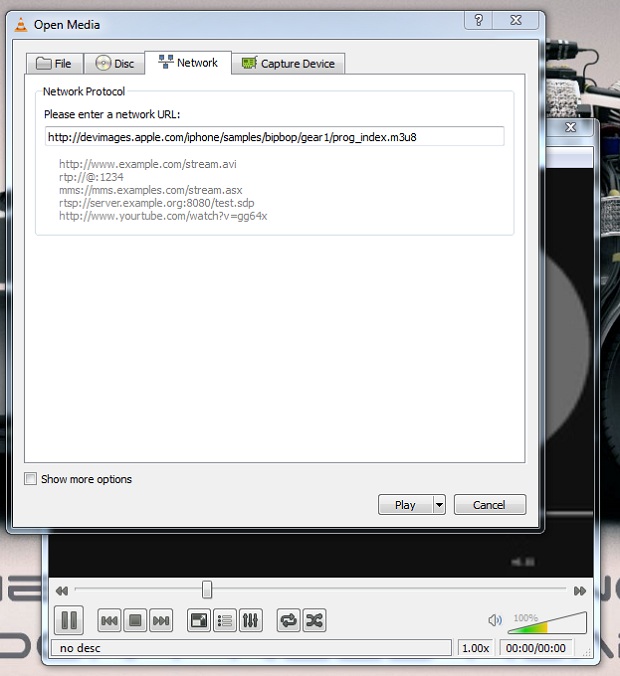
Click Play.
That’s it! You should be good to go.
UPDATE: It seems to be working for some and not others. YMMV Try SMPlayer and this stream if the other one doesn’t work http://qthttp.apple.com.edgesuite.net/1010qwoeiuryfg/sl.m3u8

















Comment