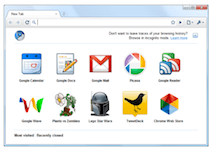
 Perhaps the biggest story of day one at Google I/O was the announcement of the Chrome Web Store. This store is meant to highlight web apps while at the same time, providing a way for developers to better monetize them (if they choose to). But the store isn’t ready to be shown off just yet, and so as you might imagine, there are a lot of questions about it. Throughout the course of the day today, Google addressed some of them.
One question that came up a few times in various discussions was if the Chrome Web Store would be Chrome-only? It will, for now, Google VP of Product Sundar Pichai acknowledged. The store itself will be limited (and built-in) to Chrome and Chrome OS (when it’s available). That said, apps written for the web are apps written for the web, so they should work on any browser. Of course, those that rely on some sort of Chrome Web Store payment structure likely won’t be accessible without the store (though Google won’t say either way).
A follow-up question asked if Google would consider allowing other browsers to run the Chrome Web Store? Pichai noted that as with everything Google does, they’d prefer it to be open. That’s not really an answer, but he did say they were talking with other browser makers about possible partnerships for the store. That said, again, at first, it will be Chrome-only.
One person asked if Google Checkout would be used for payments through the store. Google said that they weren’t ready to give details just yet, but that users could expect the structure to work similar to the way it does on Android. There’s a good chance it will be Google Checkout powering the store.
In terms of revenue sharing, Google says it will be consistant with standard practices. Pichai later confirmed that it would be a 70/30 (developer/Google) split. This is the split in the Android Marketplace, as well as Apple’s App Store.
More questions were answered in the Google Group forum for Chromium Apps.
Someone wondered how updates to apps would be handled. Apparently, it will work just as updates to extensions in Chrome are. That is to say, automatically.
Interestingly, Chrome Apps will have less security clearance than Chrome Extensions do. Googler Aaron Boodman explains this rationale:
If you need cross-origin requests, you can implement your app as a Chrome extension. Extensions are higher privilege, and have more strenuous security warnings. We want to keep web apps nice and safe so that the install can be very lightweight.
Yes, Flash apps will work just fine as Chrome Apps — the demo of Plants vs. Zombies was run in Flash during the keynote.
A number of questions wondered why if these new apps are just web apps they would need different file extensions? Google says they need to wrap apps in minimal “glue” to get them listed in the Web Store and to make them installable within the Chrome browser.
More often than not, Google’s answer to questions about the Chrome Web Store was that today’s unveiling was just a preview, and that more details would come shortly. Considering that early app-enabled builds are already popping up in the latest batches of Chromium, shortly may indeed be very soon.