
As we first reported the existence of a few days ago, Google’s Theme Gallery for Chrome has gone live. On the page, you can find 29 official themes that range from subtle (greyscale) to hideously ugly (legal pad).
Installing them couldn’t be simpler. Just pick the one you like and click on the “Apply theme” button. The theme will download and in the download manager at the bottom of the Chrome browser window, simply select “open.” After you have the new theme installed, you’ll see an option to return to the default theme. If you close that, you can revert in the Preferences area, under “Personal Stuff.”
These themes work on the latest developer builds of both the Windows and Mac versions of Chrome (I haven’t tried out Linux, but I imagine they will work there as well).
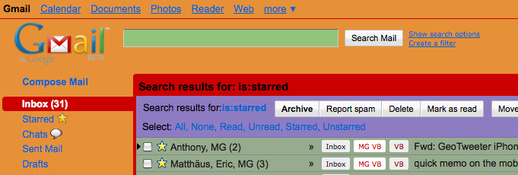
It’s nice to have the option to personalize and skin your browser, but most of these themes are way too distracting. And some, like the “Baseball” theme, make seeing tabs almost impossible. They also remind me of my beautiful work of art (pictured below) in creating a new custom theme for Gmail. Can’t wait for Chrome to give us access to make our own themes!
Update: Since some people seem confused, let me reiterate, “the latest developer builds” seem to be required for these themes to work correctly. This is not something Google is touting yet, the gallery site just went live with no fanfare, so use at your own risk.


[thanks to everyone who sent this in!]