Today Dropbox launched the ability to instantly preview any file you’ve saved so you don’t have to download it to know what it is. It also launched a photos tab for the web to make it easy to view and share photos you’ve uploaded. Product Manager Chris Beckmann explained “Both are related to a shift that we’re seeing that’s underway at Dropbox from thinking about things as files to thinking about things as users’ content.”
Here’s how the two features work.
X-Ray Your Documents
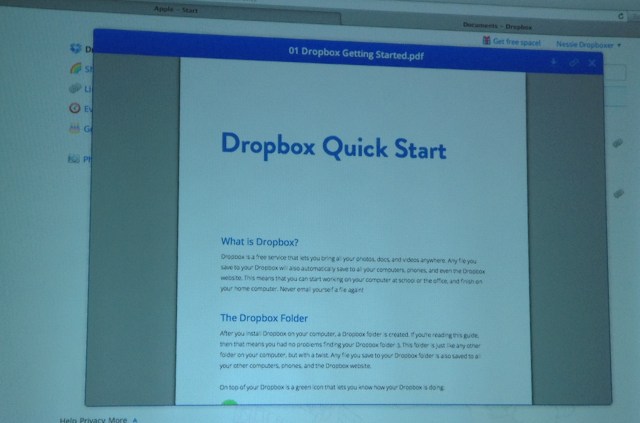
With Dropbox Document preview you can get a pop-up look at the content of files you’ve saved. Previously, if you were trying to figure out which Word document you needed to share with a co-worker, you’d have to download and open each file. Now you can look inside many popular Office file types including Word, PowerPoint, and PDF; figure out which one you want to download and share; and then do so. Dropbox is still working on support for Excel.
Document Preview will be rolling out to all Dropbox users in the coming months. Below you can see what it looks like to preview a PDF.
Photos Aren’t Just Files
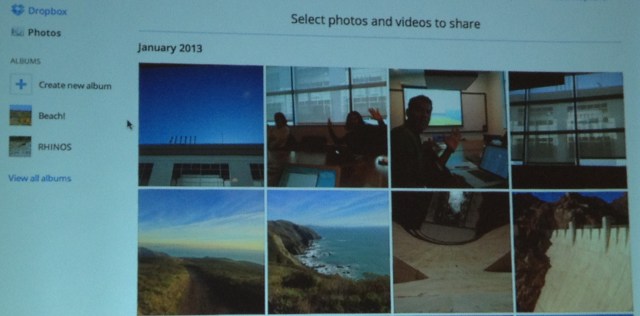
Dropbox’s new photos tab is designed to make photo viewing simpler. It organizes the photos into time blocks such as days or months. Rather than treating them as generic files, the Photos tab recognizes there’s a different way you want to interact with photos.
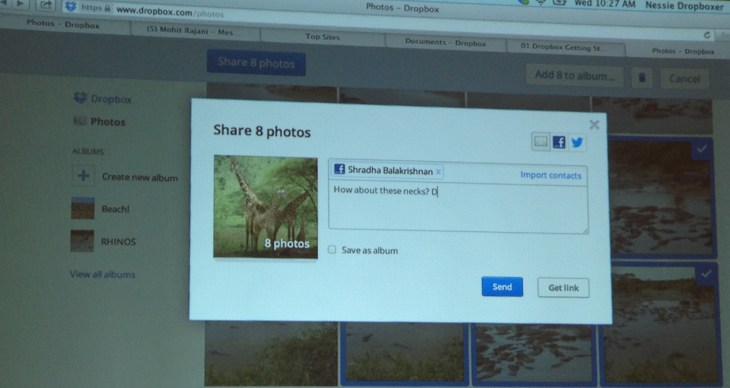
There’s also an easier new way to share photos. Before, you could only share photos one at a time, or compile them into a new folder and share them. Now you can select several photos to turn them into a virtual album, and then share them to Facebook, Twitter or email.
The new ad-hoc album feature will roll out to the web version of Dropbox and its iOS app soon, but you can already try it in the Android app. In December Dropbox acquired photo viewing app developer Snapjoy, which offered similar easy viewing functionality Dropbox launched today. It seems that team is already hard at work at its new parent company.
The photo developments build on Dropbox increased focus on media. The company says the Camera Uploads feature it launched last year to let you automatically send photos you take on mobile to your Dropbox has been “incredibly successful” and is bringing “billions of photos” into its storage system. Today’s update will make dealing with the dozens of different angles of your cat or city skyline more streamlined.
Extrapolating from today’s Dropbox breakfast event launch, you can imagine what the company might look to do next. Beyond previewing, people frequently want to make small edits to files, and would probably love to do so without downloading them. One day Dropbox might give you basic editing powers, like changing text in a Word document. Considering it acqui-hired cloud music management and streaming startup Audiogalaxy in December, we might see the ability to listen to previews of audio files in the future, too.
It’s good to see Dropbox building features that fit its overarching mission to make the stress of file management disappear. As startups grow to Dropbox’s size, they sometime diverge from their core value proposition and bloat their services with extraneous features. Dropbox didn’t launch a social network or some GIF-making app. It looked at what was still frustrating about the Dropbox experiences, and hammered those stray nails flat.
[Correction: Though Dropbox mentioned the name Quick Start and demo’d the feature with a document labeled Quick Start, the ability to look at files without downloading them is officially called Document Preview, not Quick Start as we originally printed.]