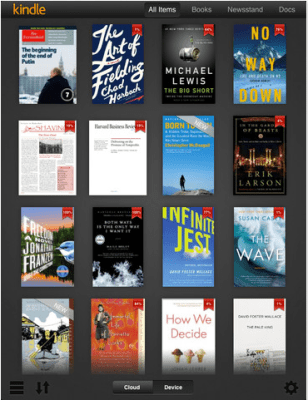
For all the cool things an iPad can coaxed into doing, I find myself using mine to read more than anything else (rewatching old episodes of Doctor Who on Netflix is a close second). I’ve been begun to use it more than my trusty Kindle, and thanks to the timely 3.0 update for the iOS Kindle app, organizing and managing all of those books I’ve bought feels a lot snappier.
Take navigating your archived books, for example. A quick tap on the Cloud button at the bottom of the screen jumps into a listing of purchased-but-not-yet-downloaded content. Scrolling though all of them seems appreciably quicker, and all it takes to get back to the books saved on the device is a tap on the (what else?) device button next to it.
The library view has also been cleaned up a bit — gone is the now-classic “kid reading a book under a tree” image, replaced with an Kindle Fire-esque gray background This new look also permeates the app’s iPhone version, which includes the thumbnail grid list that iPad users have enjoyed for a while now.
Unfortunately, many of us won’t be able to take advantage of one of the app’s biggest tweaks for a little while longer. The Kindle app packs support for the new iPad’s ridiculous Retina Display, so the rest of us who aren’t MG Siegler will have to play with it tomorrow.
The update is live in the App Store now, so the persnickety bibliophiles among you can get cracking.