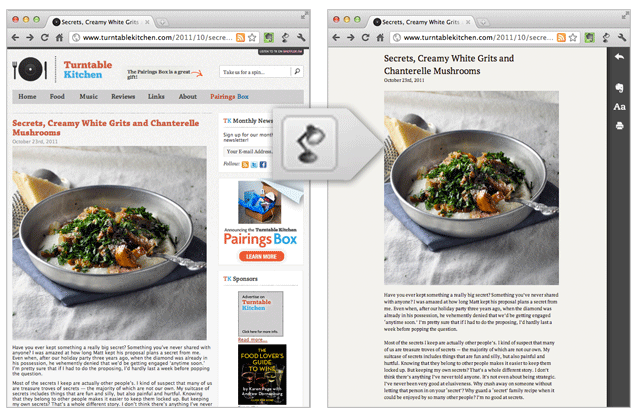
Evernote is today introducing its first stand-alone product since Peek: a browser extension called Clearly that enables “distraction-free online reading”. Only available as a Chrome add-on for now, Evernote Clearly removes ads, links, navigational elements and whatnot from any block of text you’d like to read on the Web and lets you easily save it to Evernote to read later.
If that sounds a lot like the core functionality of the likes of Readability or Instapaper, you’re probably thinking in the right direction.
Evernote Clearly works best when you’re on a page with a single article, like this one. With one click, you can isolate the text block for comfortable reading, and ‘slide’ right back when you’re done.
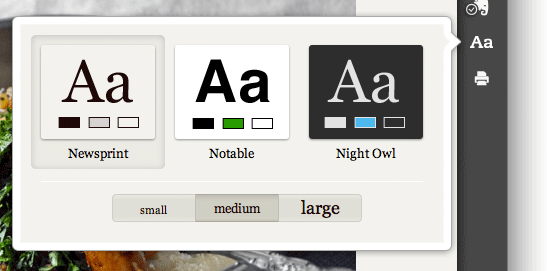
The extension also lets you change the appearance and the size of the characters, so you can somewhat customize the experience (see first screenshot below). In addition, you can clip articles to Evernote with the click of a single button to save articles or later reading. Also, a ‘print’ button.
According to Evernote’s blog post, Clearly will even automatically turn a multi-page article into a single page so you no longer need to click from one page to the next anymore, but that didn’t work out for me, as far as the extension I was sent goes (I tried with this post).
Evernote Clearly will soon be available for Firefox, too.