When Unsubscribe.com launched last October, the premise was pretty simple. You install it in your email, and any time you want to unsubscribe from a marketing email, you just hit the “Unsusbcribe” button and the service takes care of the rest.
Now the service is expanding to social apps. If you are like me, you have dozens of both Web and mobile apps that you’ve signed into with with your Facebook, Twitter, or LinkedIn ID. Some of these you keep using, some you forget about, but they still have access to your data unless you remove them.
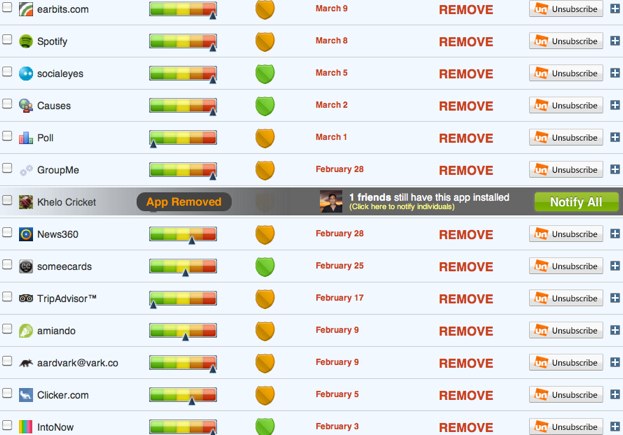
Unsubscribe shows you all the apps with access to your data via those three platforms (Google and Yahoo logins are coming next). It also shows you the relative level of access each app has to your data, along with color-coded reputation shield and a recommendation to remove the app, be cautious, or keep it. And then with one unsubscribe button, you can revoke access to any app. By default, if you haven’t used an app in more than 90 days, it suggests you remove it. I have a lot of those: Clicker, IntoNow, Aardvark,
Unsubscribe adds an extension to your browser (Chrome, Firefox, or Safari) that pops open an information box every time you add a Facebook app or other app, telling you how safe it is, it’s access level, and some other information. The service will expand to browser extensions next.