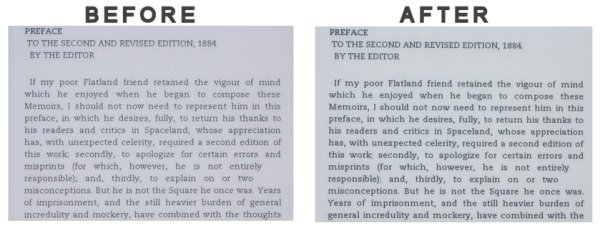
If you can’t read your Kindle 2 because it’s too light, fear not. This thread shows you how to add darker, non-aliased fonts to your 16-shades-of-gray beauty.
All the hack does is replace the standard fonts with new, darker fonts but many are complaining so this might be just the thing for a lazy Sunday afternoon.
Generally, the issue has to do with font smoothing. While on-screen fonts against a contrasting background look great with with font smoothing but on what is essentially a gray background, the fonts look gray. And, most importantly, the blacks are washed out as well, resulting in light text.