Add a second drive to your MacBook/MBP

Tuesday, February 24th, 2009

Biggs is the editor of TechCrunch Gadgets. Biggs has written for the New York Times, InSync, USA Weekend, Popular Mechanics, Popular Science, Money and a number of other outlets on technology and wristwatches. He is the former editor-in-chief of Gizmodo.com and lives in Bay Ridge, Brooklyn. You can Tweet him here and G+ him here. Email him directly at john@techcrunch.com. → Learn More

obub_vsmjpg
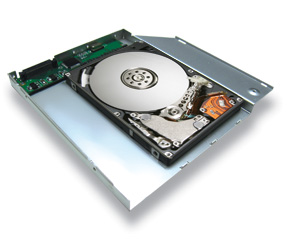
You don’t need that old SuperDrive, do you? Just pop it out of your MB or MBP and pop in this OptiBay hard drive for unibody laptops. You can use the system as a pair of separate drives or as a RAID drive. The upgrade uses SATA and comes in 250GB, 320GB, and 500GB versions.

The drive is available at MCETech and starts at about $189.

Sponsored Ads

blog comments powered by Disqus

Sponsored Ads

Sponsored Ads

Events

Crunchies Awards
January 31, 2012
Davies Symphony Hall
San Francisco CA
Learn MoreBuy Tickets