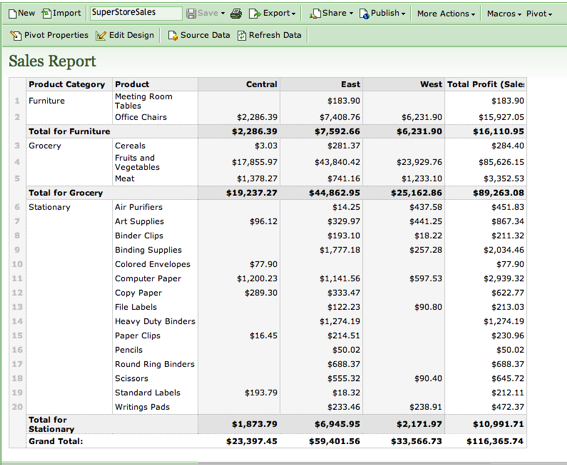
 Zoho keeps pushing the limits of what online productivity apps can do, It was the first to use Google Gears to create an offline version of Zoho Writer last year, for instance. And now it is adding macros and pivot tables to its online spreadsheet, Zoho Sheet. (Once again, it is way ahead of Google, which indicated last December it would not add those advanced features any time this year).
The addition of macros and pivot tables should go far in making Zoho’s online spreadsheet a more realistic alternative for power business users. Macros are customized code, written in Visual Basic, that adds features and functionality to a spreadsheet (like highlighting an item above a certain dollar-limit in an expense report, for instance). Pivot tables are complex tables inside a spreadsheet that makes it easier to analyze data. Anyone can create a macro for Zoho Sheets and contribute it to this wiki that Zoho set up. (So users can potentially get the benefit of everyone else’s macros). And since it is understands Visual Basic (and converts it on the backend to Java before executing the code), existing macros for Excel will also work inside Zoho Sheet. Out of the gate, Zoho only supports about half of all spreadsheet functions in its macros, and does not yet support exporting of macros, but in time it will.
Here is a video explaining the new features:
http://www.viddler.com/player/cbcf35a4/