• The Simple Trick To Use Google Maps With Siri

    Matt Burns

    Matt is a Senior Editor at TechCrunch. Matt Burns is a family man first and attempts to be a writer second. Born and raised in the heart of the automotive world, only cars eclipse his love of gadgets. He previously wrote for Engadget and EngadgetHD before moving into the party house that is TechCrunch. He learned the retail side of... → Learn More

    Monday, December 17th, 2012

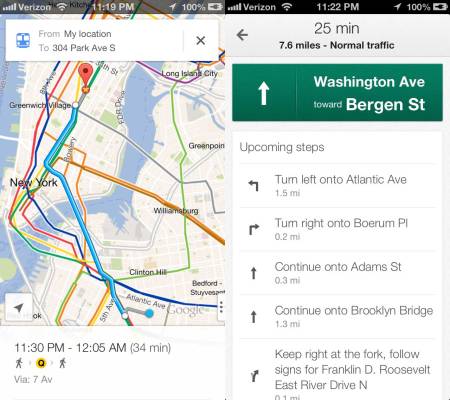
    For all her faults, Siri is a useful companion. Sometimes. But she defaults to Apple Maps. Thankfully it’s rather simple to trick Siri into giving you directions with Google Maps instead. No jailbreak required.

    As shown in the video above, instead of saying, “Take me to the nearest Best Buy,” tell Siri “Take me to the nearest Best Buy via transit.” Those two little extra words prompts Siri to open a screen which displays transit apps. Simply click the button next to Google Maps to bypass Apple Maps altogether. It’s that easy.

    The Google Maps app hit the Apple App Store last week and instantly shot to the top of the charts. But best of all, Google also released an SDK for its maps, allowing developers to jump back in bed with Google and kick Apple Maps to the curb. Apps that rely heavily on maps are no doubt toiling away to re-implement Google Maps. But for now, users are going to have to utilize workarounds to use Google Maps rather than Apple’s own.

    [via Gizmodo]


    Company: Google
    Website: google.com
    Launch Date: September 7, 1998
    IPO: NASDAQ:GOOG

    Google provides search and advertising services, which together aim to organize and monetize the world’s information. In addition to its dominant search engine, it offers a plethora of online tools and platforms including: Gmail, Maps, YouTube, and Google+, the company’s extension into the social space. Most of its Web-based products are free, funded by Google’s highly integrated online advertising platforms AdWords and AdSense. Google promotes the idea that advertising should be highly targeted and relevant to users thus providing...

    → Learn more