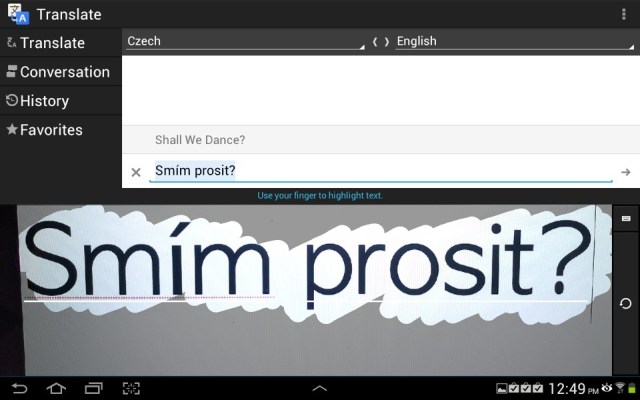
As is their wont, the folks at Google pushed out a nifty new update for its Translate for Android app earlier today, and it packs a handful of new goodies for the lexically inquisitive to play with.
The feature that’s gotten the most love is the app’s new camera support (seen above). Curious users can snap photos of foreign text from directly within Google Translate, and furiously swipe their fingers over the specific tidbits to be translated.
It’s maybe not the most novel idea we’ve seen — Google Goggles tried a similar trick back in 2010, and the ever-popular Word Lens arguably does with it more panache — but it’s a welcome addition to the mix nevertheless. Just don’t expect it to play nice while scouring the back streets of Yunnan province, as the app can only translate text in Czech, Dutch, German, Turkish, Russian, Portuguese, Polish, Italian, Spanish, French. Itching to give it a spin? All you need is a decent Internet connection and an Android device running 2.3 Gingerbread or later.
As always, the rest of the changelog is a bit of a mixed bag. Text being pecked out gets translated instantly (a la the service’s web version), and speech input has improved support for regional dialects so your natural accent won’t get in the way of things. On of top that, Japanese scholars will also be glad to know that the update brings support for writing out multiple characters by hand.