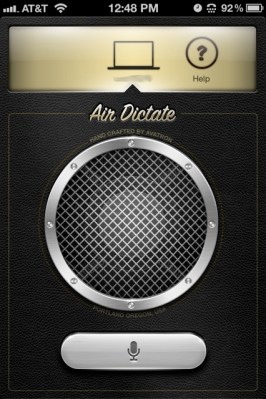
Perhaps best known for the Air Display iOS app, Avatron is at it again with new a iOS dictation app called (what else?) Air Dictate. But of course, Avatron wouldn’t just cook up a straightforward dictation app — there’s a twist.
Instead of just taking your voice input and transcribing it into a file on your iDevice, it actually syncs with your Mac and dumps the interpreted output into your text field of choice. As long as both devices are on the same wireless network, the connection yields quick and (mostly accurate) transcriptions.
According to Avatron, these accurate transcriptions have Siri to thank. Even though Apple has yet to release a public API for their intelligent agent, Avatron has seemingly whipped up their own way to interface with Siri, and the results are pretty impressive
Setup is dead simple — download the $.99 app from the App Store, and install the free Air Dictate receiver on your Mac. Once the two apps are paired up (a process which takes no more than a few seconds), you’re ready to get your gab on. Transcriptions were surprisingly accurate, although it does have a tendency to stumble with similar sounding words (“he’s” vs. “is,” for example). A little extra focus on enunciation should clear that up fairly quickly, though.
Is this going to replace your fancy Dragon Dictation setup? Probably not, but if you’ve already got your share of Apple devices laying around, there are far worse ways to go.