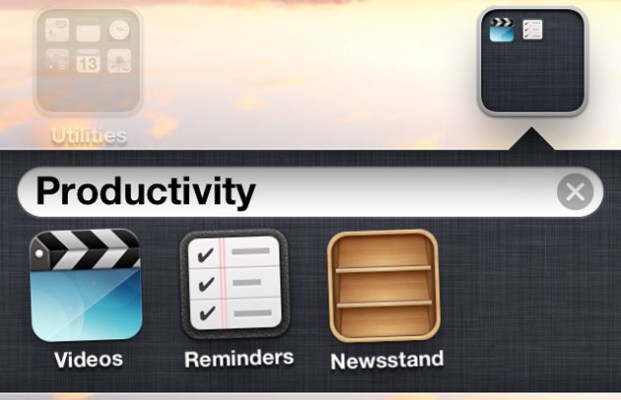
So, you’ve upgraded to iOS 5. Look at all the new shiny things! iMessage! Notification Center! Newsstand!
Wait, Newsstand? A special folder just for digital magazines and newspapers? Meh! Lets just go ahead and delete th… oh, you can’t. It’s okay, we’ll just put it into another folder and… nope, you can’t do that either.
Well, you can — you’re just not supposed to. The Internet Hivemind has found a way.
The trick (as first noted by The Coding Massacre) is simple (no jailbreak required!), but requires some lightning quick fingers. In what is quite obviously some sort of bug, it appears that there’s about a half second window after the creation of a folder wherein it’s not set to automatically reject Newsstand.
Here’s How To Do It:
- Drag one non-Newsstand app onto another non-Newsstand app. This will create a folder.
- While the folder is being created and the little animation is being played out, immediately drag the Newsstand app onto this newly created folder. (It helps to have the apps you’re creating a folder from already close to wherever the Newsstand app is sitting. The trick is to get it in there before the new folder automatically expands on screen)
- Bam! You’ve got a new folder, complete with the Newsstand app inside. So much room for activities!
As it’s a bug, the trick has a catch or two: Newsstand not only becomes completely non-functional when tucked into another folder, but it’ll actually make the homescreen freak out and quickly reset if you try to open it. Still, it’s better than having an icon you never use on your homescreen until the end of time.
Also, you probably shouldn’t expect this trick to work indefinitely. Given the whacky homescreen-crashing side effects, Apple will undoubtedly fix it before too long — but hopefully, they’ll supplant it with something a bit less hacky.