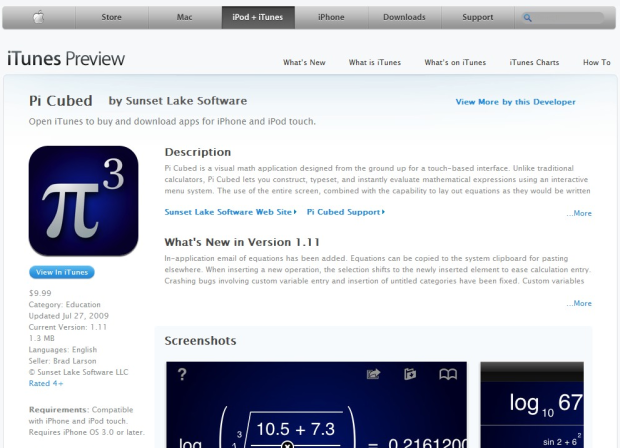
 In November 2009, Apple launched a feature dubbed iTunes Preview, which essentially enabled people to see what music is available on iTunes from their Web browser without the need to fire up – or install – the desktop software program.
At the time, you weren’t able to actually listen to a sample of music tracks from your browser, but that changed earlier this year when Web-based audio previews were quietly added (paving the way for the imminent roll-out of iTunes.com).
This morning, Apple activated the iTunes Preview feature for iPhone / iPod Touch applications in addition.
To see this for yourself, open any direct link to an iPhone app (example) in your favorite Web browser.
You’ll notice that instead of only throwing up a dialog box prompting you to confirm that you wish to launch iTunes on your desktop, you’ll see a nice page with the app logo, price, description, screenshots, rating, reviews and more in a new window or tab.
Simultaneously, iTunes will be opened and you’ll be directed to the app’s detail page in the App Store.
All in all, this is a logical move for Apple to make: the prior way links to iPhone apps were handled wasn’t particularly user-friendly. You still get the option to confirm that you want to open iTunes or do nothing when you click a link to download or purchase apps, but at least now you’ll also get a nice overview of what an app is all about and how other users are liking it.
Next up: iTunes Preview for video content?
(Hat tip to Gerry Cardinal III)