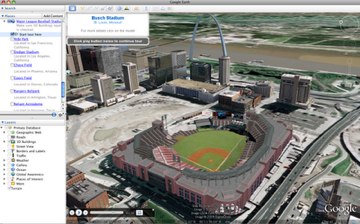
This has been quite a week for Google, especially with the announcement of Google Wave at the Google I/O Conference. Not to be ignored, Google Earth has been quietly rolling out some nifty features, including business listings. Today, Google Earth has added 3D tours of buildings, bridges, baseball stadiums and more.
The tours are self-running views into buildings, bridges, museums, skyscrapers, stadiums and castles from around the world, most of which were built Google SketchUp users who model buildings for Google Earth.
To play a tour, you need to activate the “3d Buildings” layer in Google Earth. Then you can click the “Start tour here” link in the “Places” panel in Google Earth (make sure you have download the latest version of Google Earth).