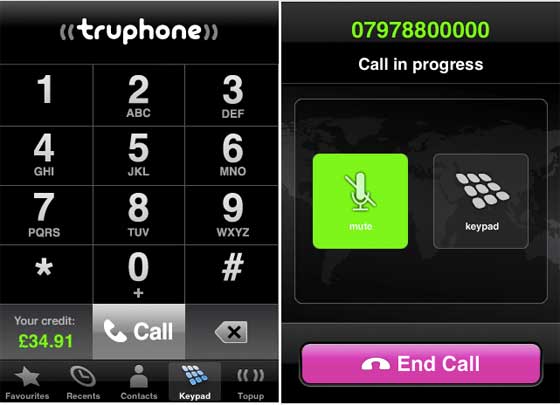
While most iPhone users are stuck with an iBrick this morning as Apple’ servers can’t complete the last step of the upgrade process, those of us smart enough to take the unofficial upgrade route 24 hours ago are happily trying out new App Store Apps. This morning I turned my iPhone into a VoIP phone by installing the new Truphone iPhone app (Truphone company profile).
One of the iPhone 2.0 restrictions that is unfortunate is the fact that VoIP applications aren’t allowed to use the cell/data connection – all that 3G bandwidth could be put to great use. But VoIP apps are allowed on the phone and can use Wifi when it’s available.
While at first it seems that the fact these apps can’t tap into the 3G stream is a real problem, in fact even the allowed activity, VoIP over Wifi, is extremely useful. For example – AT&T mobile coverage at my house/office is very bad, so I rarely use my iPhone for calls there. Instead I just pick up my landline (which is a Vonage VoIP phone). With VoIP over Wifi I can still use my mobile phone to make calls.
I installed the Truphone app this morning and registered online. Calls to any landline anywhere in the world are just 6 cents per minute, and you get a $4 credit to start when you first download the app. Truphone accesses your contact list to allow for one click calls in the same way as normal calls. The differences you’ll notice v. normal cell calls: you must have a Wifi connection to make calls, you can’t receive calls, if a normal voice call comes in your Truphone call is immediately terminated (this really sucks), you can’t use the speakerphone and your “favorite” numbers aren’t imported.
One really excellent feature is the fact that when you call someone, they see your normal caller id.
The video below shows the call process and I also play a voicemail I left through the app – the sound quality was excellent.