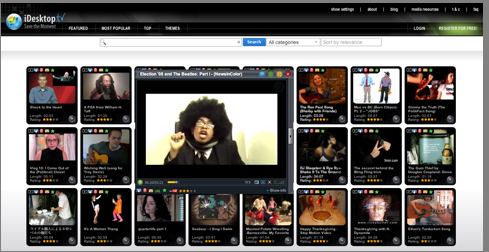
If you’ve ever been frustrated with how videos are organized on YouTube, check out UK-startup iDesktop.tv. It is just easier on the eyes. From TechCrunch UK:
iDesktop.tv – a relaunch of YouTubeDesktop – is basically an Ajax interface onto YouTube videos with a few more features added, chiefly the ability to download videos to your desktop. I know there are apps for this kind of thing, but few achieve this in the consumer-friendly fashion of iDesktop.tv. When you download a video, you can choose from a variety of formats to convert it to – AVI, MP4, 3GP, 3GP2, MOV, WMV, FLV, EXE or ZIP. That means you can then transfer the video easily to a PC or a mobile phone, iPhone or iPod without using any other converter program. Windows can be dragged around and resized and you can create playlists or share video links with friends. It’s also possible to dim the background while watching videos.
As Mike Butcher at TC UK points out, this is why it is important to put those ads right in the videos themselves. Who knows where people will end up watching them.